
How to Set Up Google Shopping for Your Liquor Store
Learn how to set up Google Shopping for alcohol without disapprovals. Step-by-step compliance tips for liquor store owners.
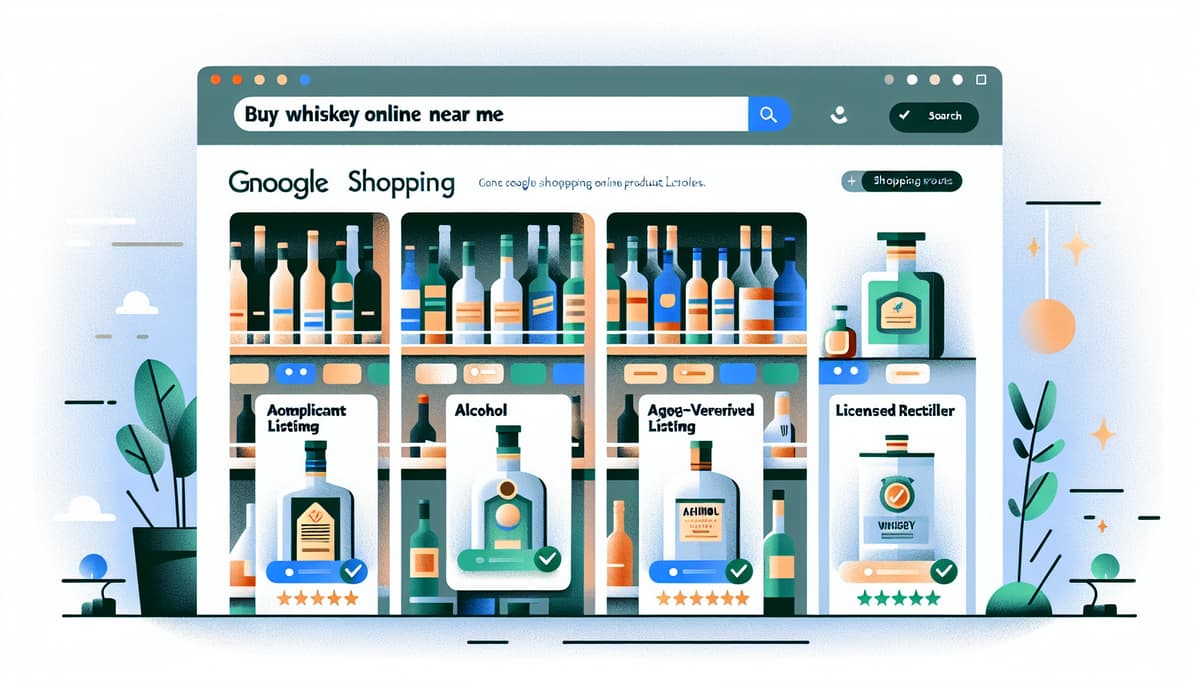
Imagine walking into your liquor store one morning, coffee in hand, and checking your Google Merchant Center only to find - again - that your products are disapproved. No explanation that makes real sense. Just a red “Disapproved” label staring back at you like a bouncer shaking their head at a fake ID.
It’s frustrating, right? You’ve got the inventory. You’ve got the license. You’re ready to sell. But Google isn’t letting you in the party. That’s because Google Shopping isn’t a casual pub crawl - it’s more like applying for a liquor license. One wrong move, and you’re out.
So let’s break this down. If you want to set up Google Shopping for alcohol the right way, you need to treat it with the same attention to detail and compliance mindset you’d use to open your brick-and-mortar shop. This guide is your step-by-step walkthrough, designed specifically for liquor store owners who are tired of playing guessing games with disapprovals and want to start seeing some damn conversions.
Why Google Shopping is a Goldmine for Liquor Stores
If you’re not already using Google Shopping, you’re leaving money on the table - money that’s already looking for you. Unlike social ads or broad SEO strategies, people searching for “buy whiskey online” or “craft gin near me” are ready to purchase. They’ve got intent. And you? You just need to show up legally.
Here’s what makes Google Shopping so potent for liquor stores:
- High-intent traffic: These aren’t browsers - they’re buyers.
- Visual product listings: Show off your labels, your brands, your uniqueness.
- Local delivery visibility: Perfect for same-day or local delivery offers.
- Scalable reach: Once you’re compliant, you can expand fast.
But here’s the catch: Alcohol is a restricted product category on Google. So if you don’t toe the line, your listings won’t just underperform - they’ll disappear. Let’s make sure that doesn’t happen.
Step 1: Get Your Papers in Order - Licenses First
Think of Google like a state inspector. Before you even step onto the platform, you need to prove you’re legally allowed to sell alcohol in the jurisdictions you’re targeting. That means:
- Valid alcohol retailer license: This must match your business name and address.
- Local delivery or shipment license: If you ship across state lines, you’ll need to show compliance with every state’s laws involved.
Upload these within your Google Merchant Center account. Don’t get cheeky here - Google will verify. This is the most critical part of setting up Google Shopping for alcohol, and skipping it is like trying to open a pub without your liquor license. No chance, mate.
Step 2: Google Merchant Center Setup - The Right Way
Once you’ve got your licenses squared away, it’s time to properly configure your Google Merchant Center (GMC). Here’s where many liquor store owners get tripped up, so let’s walk through the compliance checklist:
- Enable Shopping Ads for restricted products: You’ll need to request approval to promote alcohol in your account settings.
- Business information accuracy: Make sure your business address, name, and contact info match your license and website.
- Set up tax and shipping: No, Google won’t guess this for you. Be precise, especially with alcohol shipping rules.
For a full breakdown of these policies, the Google Merchant Help guide is a must-read. Bookmark it. Tattoo it to your soul. It’s your bible for staying compliant.
Step 3: Craft a Feed That’s Squeaky Clean (and Legal)
Your feed is where the magic happens - or where everything goes to hell. Think of it as your license application. Every product you submit needs to be 100% legit. Here are the top issues that get alcohol listings disapproved:
- Missing age verification: Your site must have an age gate before customers can browse.
- Inaccurate product titles: “Fireball” is not enough. Include size, ABV, and brand.
- Prohibited marketing language: Phrases like “get drunk fast” or “party starter” will get flagged.
- Missing legal disclaimers: You may need to include alcohol warnings or legal statements depending on your region.
Also, don’t forget to use product category “Food, Beverages & Tobacco > Beverages > Alcoholic Beverages” and select the correct attributes for alcohol type, volume, and container. This isn’t optional - it’s required for approval.
Step 4: Match Your Website to Your Feed
Here’s a sneaky one: Even if your feed is perfect, Google will cross-check it with your website. If your site doesn’t match up, boom - disapproval.
Make sure your product pages:
- Display the same product names and descriptions as your feed
- Have working checkout processes (especially for age verification)
- Include shipping and returns policies clearly visible
Think of your site as your storefront window. If it’s dusty, inconsistent, or vague, Google’s going to assume you’re not running a tight ship. Polish it up like you’re expecting the Queen to drop by for a dram.
Step 5: Targeting and Ads - Don’t Jump the Gun
Once you’re approved (cheers to that!), it’s time to talk ads. But remember: Google still restricts how and where you can promote alcohol. You’ll need to:
- Restrict targeting to approved regions: Only advertise where you’re legally allowed to ship or deliver.
- Use responsible ad language: Highlight taste, ingredients, or awards - not the buzz.
- Exclude underage audiences: Filter by age to ensure compliance.
And don’t be surprised if some placements are limited. Google’s not going to let a bottle of vodka show up in a kid’s YouTube search. And that’s a good thing - for everyone.
Common Mistakes That Get You Kicked Out of the Party
Let’s run through a few dealbreakers that’ll have you staring at a disapproval screen faster than you can say “IPA.”
- Skipping age verification on your site
- Using slang or party language in product titles
- Submitting feeds with missing product details
- Not keeping licenses up to date in Google Merchant Center
- Trying to game the system with hidden keywords
Google’s smarter than you think. Even if you slip something past the filters once, you’ll be flagged eventually - and the reinstatement process is no walk in the park.
Let Compliance Be Your Competitive Edge
Here’s the silver lining: Most liquor store owners don’t take the time to do this right. They give up after a few disapprovals. That means if you master the process, you’re in rare company - and it shows.
When you set up Google Shopping for alcohol with compliance at the heart, you’re not just avoiding penalties. You’re building a steady, scalable, and legal sales channel that can run profitably with minimal daily effort. No more guesswork. Just good business.
So take your time with this. Check your licenses. Clean up your product feed. Match your site to your listings. And when in doubt, revisit the official Merchant Center policies.
Treat your feed like a license application, not a party invite, and watch compliant products flow into carts like perfectly aged whiskey.